The Kodak Slide N Scan Film & Slide Scanner is designed to make home digitizing approachable, with an onboard screen, guided film inserts, and direct saving to an SD card.
This kodak slide n scan film & slide scanner review focuses on the formats it handles and the practical tradeoffs of its simple, self-contained workflow.
Kodak Slide N Scan Review Summary
The quick verdict
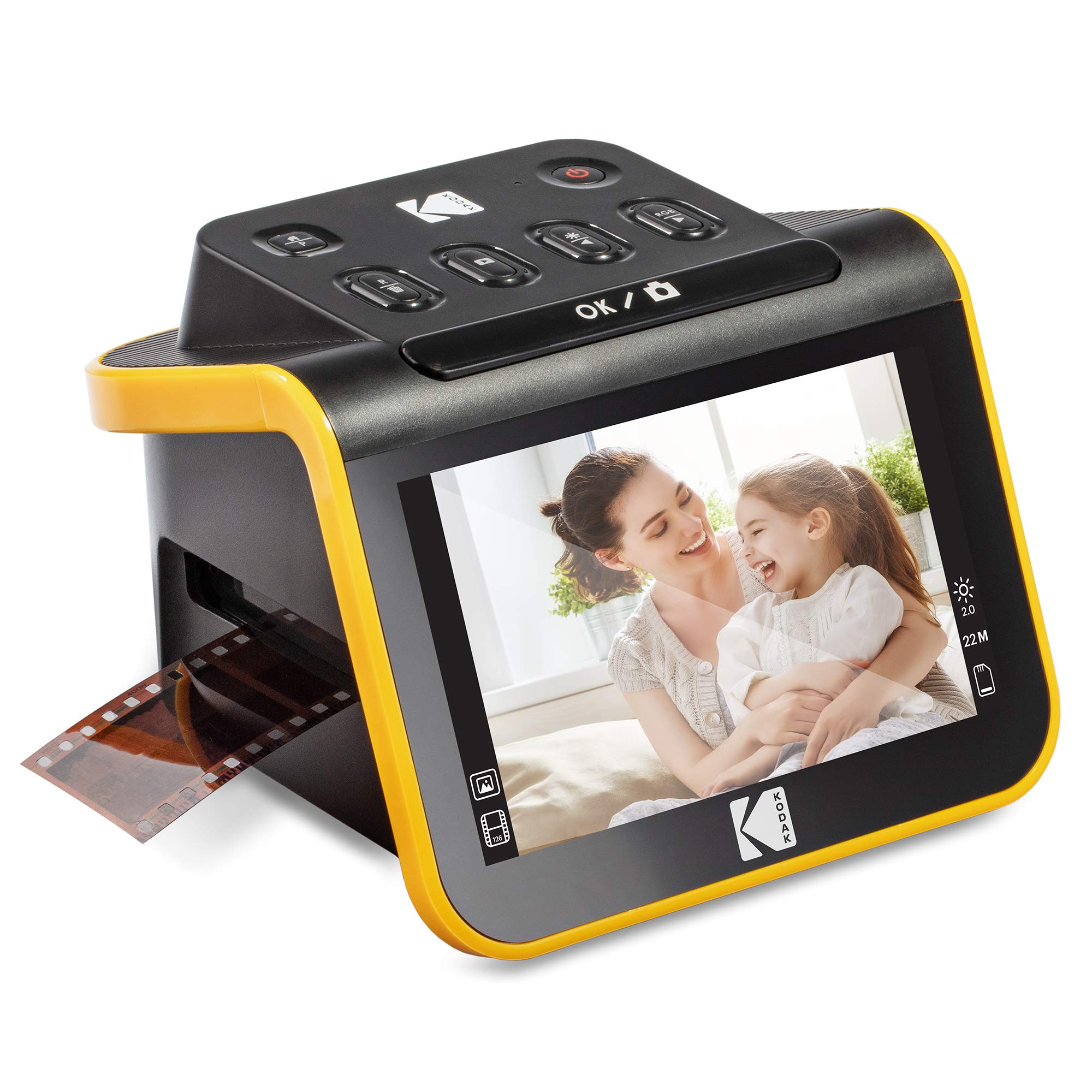
12,000+ ratings
Read Amazon ReviewsKodak Slide N Scan Film & Slide Scanner
A convenient option for families digitizing common-format slides and negatives who value an onboard preview screen and direct SD-card saving.
- Converts supported color and black-and-white negatives and slides into JPEG digital files.
- Supports 135, 110, and 126 film formats and 50mm slides using supplied inserts and adapters.
- 5-inch LCD with a wide viewing angle for previewing images and browsing the gallery.
- Quick-feeding tray technology is designed to allow continuous loading.

Pros
- Large built-in screen makes it easier to preview and review images without relying on a computer display.
- Covers three common film formats and includes a separate holder for 50mm slides.
Consider before buying
- The compatible SD or SDHC card must be purchased separately, and capacity is limited to 32GB.
- Its listed film compatibility is specific; check the format of your collection before buying.
Read the full review summary
This scanner brings several useful parts of a home archiving setup together: a 5-inch LCD for previewing images, adapters for 135, 110, and 126 film, a 50mm slide holder, and one-touch capture and editing options.
You can save JPEG files to an SD or SDHC card, then browse them in gallery mode on the scanner itself.
It is best suited to people who want to work through family slides and negatives at home and value seeing each image on the device before saving it.
The included tray system is intended for continuous loading, while the display and basic adjustments offer a hands-on way to review scans.
Buyers should confirm that their film fits one of the supported formats and plan to supply their own compatible memory card.
The buying factors
Kodak Slide N Scan Scorecard
Editorial scores reflect listed features and buyer fit; they are not laboratory measurements or customer ratings.
Format coverage
Adapters support 135, 110, and 126 film, with a separate 50mm slide holder.
On-device preview
The 5-inch LCD and gallery mode make image review central to the workflow.
Capture convenience
Quick-feeding tray technology and a single scan button are aimed at straightforward, repeated use.
Editing controls
The controls include film-type selection, color and brightness adjustment, resizing, and date/time assignment.
Standalone workflow
It saves directly to SD or SDHC cards up to 32GB, so a computer need not be part of every capture session.
Connection flexibility
USB connection to a Type-C-enabled computer and an included HDMI cable provide ways to connect beyond the built-in display.
Key Features and Specifications of Kodak Slide N Scan
- Converts supported color and black-and-white negatives and slides into JPEG digital files.
- Supports 135, 110, and 126 film formats and 50mm slides using supplied inserts and adapters.
- 5-inch LCD with a wide viewing angle for previewing images and browsing the gallery.
- Quick-feeding tray technology is designed to allow continuous loading.
- One-touch capture software offers resizing, conversion, film-type selection, color and brightness adjustments, and date/time assignment.
- Saves to SD or SDHC cards up to 32GB; the card is not included.
- Includes a slide holder, film adapters, cleaning brush, USB cable, and HDMI cable.
Pros and Cons of Kodak Slide N Scan
Pros
- Large built-in screen makes it easier to preview and review images without relying on a computer display.
- Covers three common film formats and includes a separate holder for 50mm slides.
- Direct memory-card saving and gallery mode support a simple archive workflow.
- Basic image adjustments are available at capture time without navigating complex settings.
Consider before buying
- The compatible SD or SDHC card must be purchased separately, and capacity is limited to 32GB.
- Its listed film compatibility is specific; check the format of your collection before buying.
- The built-in adjustments are geared toward quick edits, so buyers seeking extensive computer-based control should consider how they want to refine their files afterward.
Who Should Buy Kodak Slide N Scan?
Good fit
Consider the Kodak Slide N Scan if you have boxes of supported slides or negatives and want a dedicated device for gradually turning them into shareable files.
The LCD preview, gallery mode, and direct card saving keep the core process on the scanner, while the adapters provide a defined starting point for 135, 110, and 126 collections.
It also makes sense for a household archiving project where convenience matters more than a complicated editing workflow.
You can inspect images on the screen, make basic color and brightness adjustments, and save JPEGs to a card for later organization or transfer.
Before choosing it, identify the film formats in your collection and obtain an SD or SDHC card within the supported capacity.
That check helps ensure the supplied holders and the storage workflow match the job you have in mind.
Who should skip it
Skip this model if your collection is mainly in a format other than 135, 110, or 126 film or the supported 50mm slides; the listed adapters may not suit it.
Check the exact film dimensions and mount style before purchase.
Look elsewhere if your priority is a workflow built around extensive image editing at a computer. This model emphasizes onboard preview and simple capture adjustments, so consider how much control you expect after scanning.
How the Kodak Slide N Scan Fits a Home Archiving Workflow
The screen makes preview part of the process
A 5-inch LCD is a practical feature when digitizing a collection one frame at a time: it gives you a way to inspect the image and browse saved captures on the device.
Gallery mode can also make review more convenient when sharing images in a room, though it does not replace organizing files for long-term storage.
Check formats before setting up a batch
The included adapters cover 135, 110, and 126 film, and the package includes a holder for 50mm slides.
This makes the scanner a clearer fit for collections built around those formats; if your archive mixes formats, sort and identify the film first so you know how much of the collection this device can handle.
A simple capture path favors convenience
Quick-feeding tray technology and a single scan button are intended to reduce friction when moving through many frames.
Film-type selection and basic color and brightness controls give users some adjustment at capture time, while the straightforward menu approach keeps the emphasis on accessible home use.
Memory-card planning is part of the purchase
The scanner saves directly to SD or SDHC cards, with support up to 32GB, and the card is not included.
Buyers should plan storage capacity around the size of the project and decide how they will transfer, name, and back up files once scans are complete.
Alternatives to Kodak Slide N Scan
Slide & Negative Scanners alternative
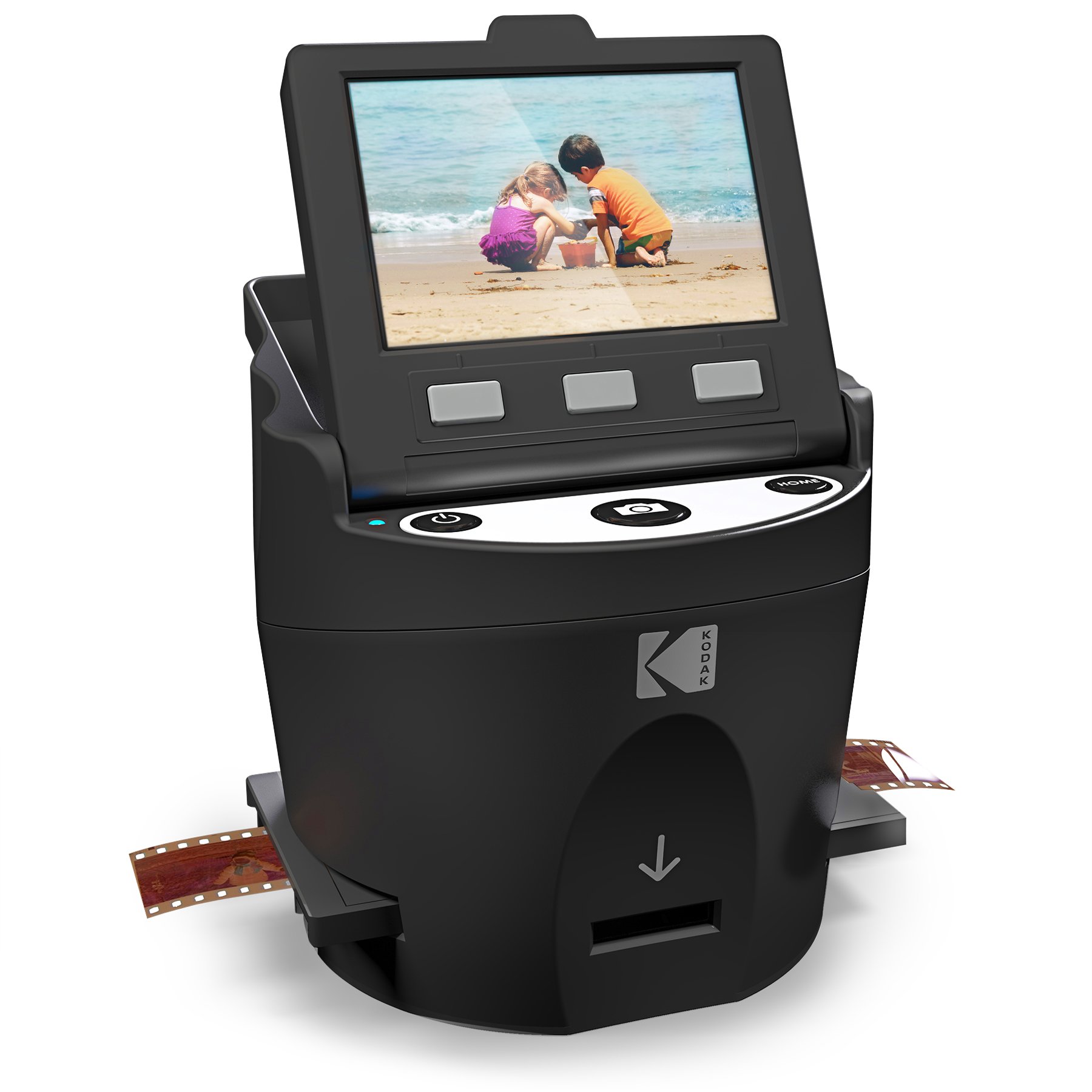
11,000+ ratings
Read Amazon ReviewsKodak SCANZA Digital Film & Slide Scanner
Consider the SCANZA if your collection includes Super 8 or 8mm, or if its additional listed card capacity and adjustable display better suit your workflow.
The Slide N Scan is the more fitting choice when a larger preview screen is your priority and the supported formats cover your collection.
- The SCANZA has a 3.5-inch tilting display and supports 35mm, 126, 110, Super 8, and 8mm negatives and slides.
- It includes multiple inserts, an SD card gallery supporting up to 128GB, and controls for RGB and resolution.
- The Slide N Scan pairs a 5-inch LCD with adapters for 135, 110, and 126 film and a separate 50mm slide holder.
Slide & Negative Scanners alternative
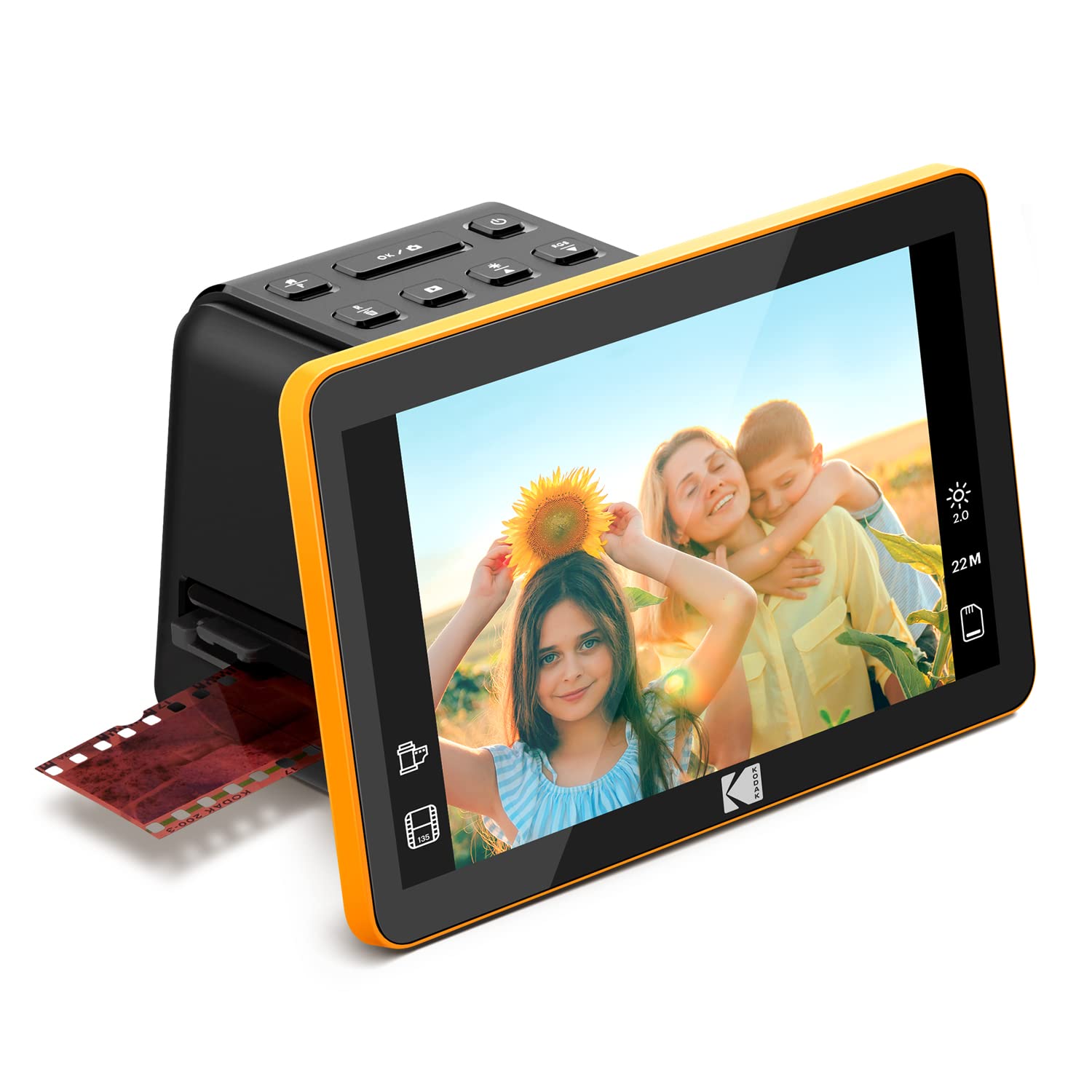
1,000+ ratings
Read Amazon ReviewsKodak Slide N Scan Max Film Scanner
The Max may suit buyers who want its listed sensor and capture-resolution details while retaining the same three film-format families and direct-card workflow.
Choose between them based on the specific screen and handling details that matter to your routine; the supplied description for the Max does not specify the display size.
- The Slide N Scan Max supports 135, 110, and 126 negatives and slides, saves directly to SD or SDHC cards up to 32GB, and lists a 13MP CMOS sensor with 22MP interpolation.
- Its description specifies capture resolution up to 4208 × 3120.
- The Slide N Scan has a 5-inch display and includes adapters for 135, 110, and 126 film, plus a 50mm slide holder.
Is Kodak Slide N Scan Worth It?
The Kodak Slide N Scan is worth considering for a home archive of 135, 110, or 126 film and 50mm slides, especially if you want to preview captures on a large onboard screen and save directly to a memory card.
Its adapters, gallery mode, and basic editing controls make the process approachable.
The main buying checks are format fit and storage planning: the card is separate, and supported capacity tops out at 32GB.
If those constraints suit your collection and you prefer simple capture over a more involved editing setup, it is a sensible option to shortlist.
Your review at a glance
12,000+ ratings
Read Amazon ReviewsKodak Slide N Scan Film & Slide Scanner
A convenient option for families digitizing common-format slides and negatives who value an onboard preview screen and direct SD-card saving.
- Converts supported color and black-and-white negatives and slides into JPEG digital files.
- Supports 135, 110, and 126 film formats and 50mm slides using supplied inserts and adapters.
- 5-inch LCD with a wide viewing angle for previewing images and browsing the gallery.
- Quick-feeding tray technology is designed to allow continuous loading.